

Welcome to our first publication at The Forge Post. The Forge.gg’s benevolent propaganda arm to spread the good word on distributing your indie game to early fans and beyond.
Today we are introducing GameLink a simple tool to help you with the dual task of: shipping an effective landing page AND measuring performance across all your distribution channels.
Now, we will show you the simple steps to creating your GameLink page and how to access Forge’s enhanced Steam distribution analytics for your game.
Create Your GameLink
To get started with GameLink you simply sign up for a FREE GameLink account. Head over to the sign up page now to get started!
Onboarding Setup
Once you’ve signed up above, you will receive an email with your login link to the GameLink dashboard. There will be a Checklist to complete your onboarding, including how to enable access to your enhanced Steam analytics through Forge. You can also setup a call with a Forge Growth Specialist.
The onboarding process will help you configure your GameLink Landing Page with our intuitive landing page designer.
GameLink Landing Page
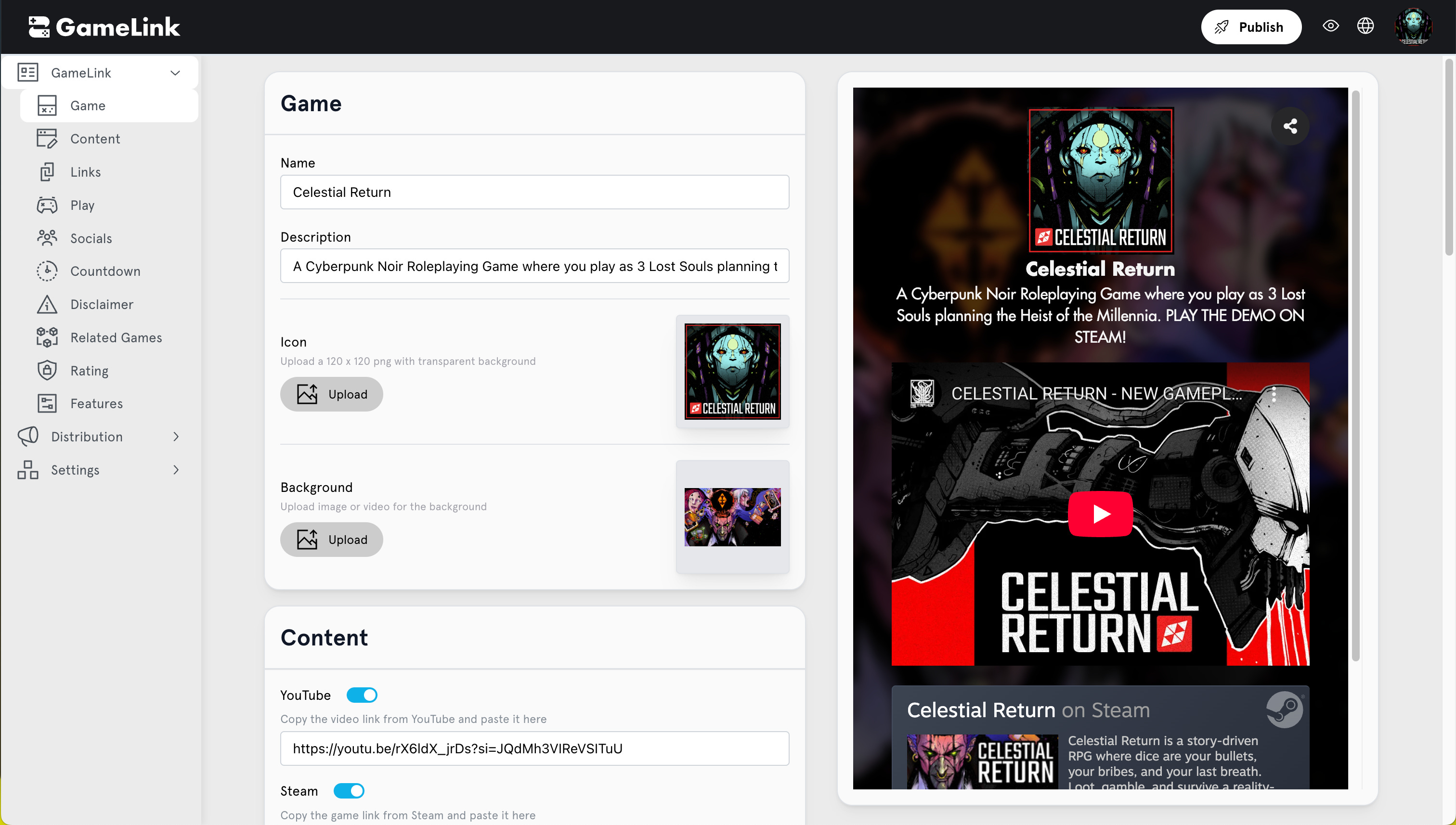
The GameLink landing page designer gives you two panes that are always in sync: a) customization options and b) GameLink preview. The preview will show exactly how your GameLink will look for true WYSIWYG configuration.
From here, you can update your Game metadata, link to your game trailer, upload Game’s graphical assets, and link to your social handles. This process takes minutes to complete a fully functional and high conversion landing page for your Game. After clicking Publish, you GameLink will be made available and distributed through our CDN for speedy globally access by players.
Your GameLink URL is displayed and ready to be shared, linked from your socials and more! At this point, any landing to your GameLink will be captured by our analytics engine and you will be able to see the effectiveness of your existing social, owned marketing, or paid media channels. We are fully integrated with popular ad networks and automatically handle analytics attribution including via UTM parameters.
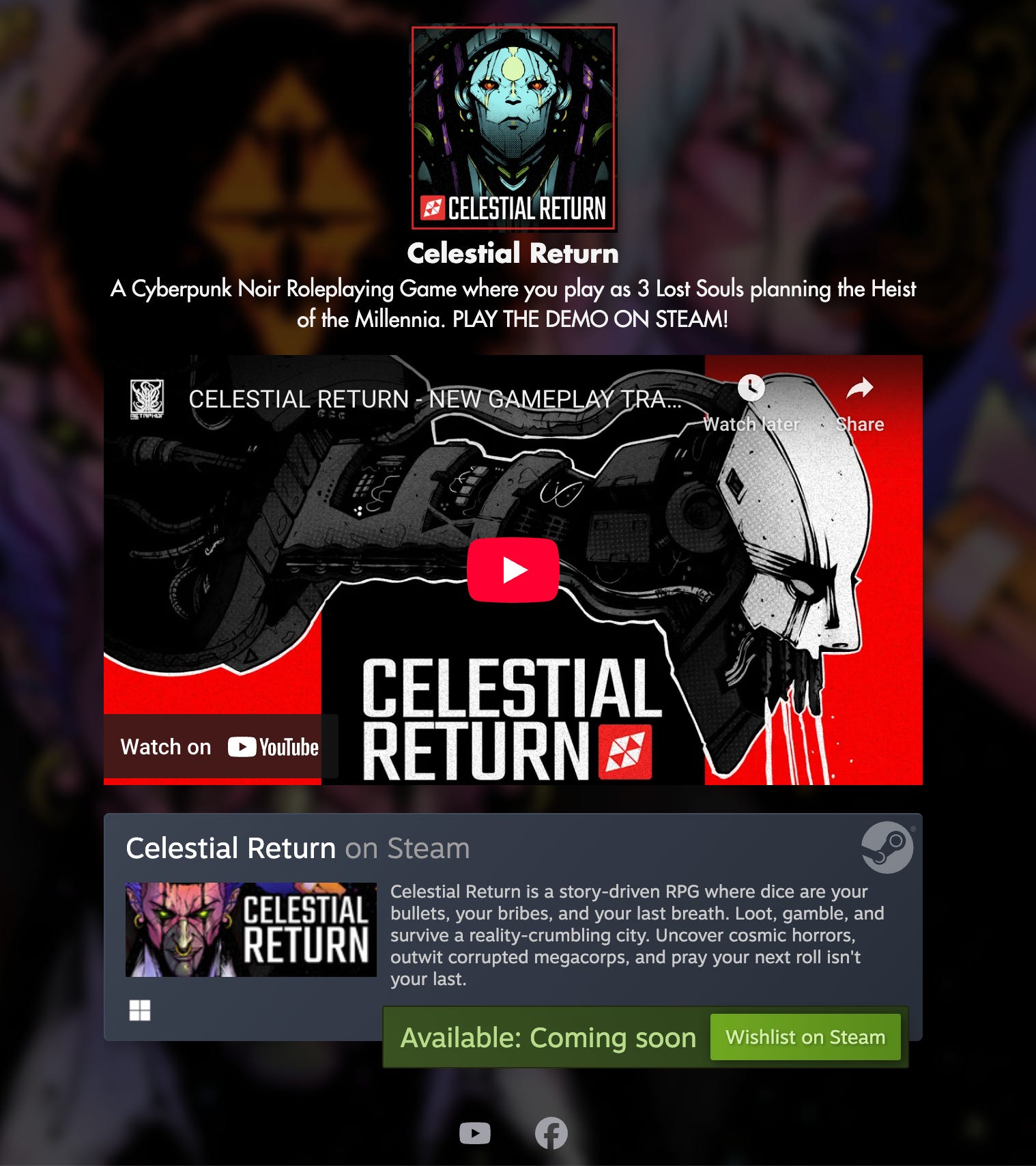
When it comes to your GameLink landing page, is always good practice to optimize for CTA that you want (such as Wishlist) to be above the fold. Our layout guaranteed this and is mobile optimized.
What you measure, you improve
Now that your GameLink landing page has been published, lets talk about how to measure the performance of all your distribution channels with regards to their Steam performance. So what is a distribution channel?
Any channel, digital or otherwise (think highway ads), where you promote your game is considered a marketing distribution channel. Your game is likely in many channels thanks to your multitude of social, community, homepage, ads, and other touch points. By measuring effectiveness across your channels empirical, you can finally take actionable steps to focus on channels outperform the others.
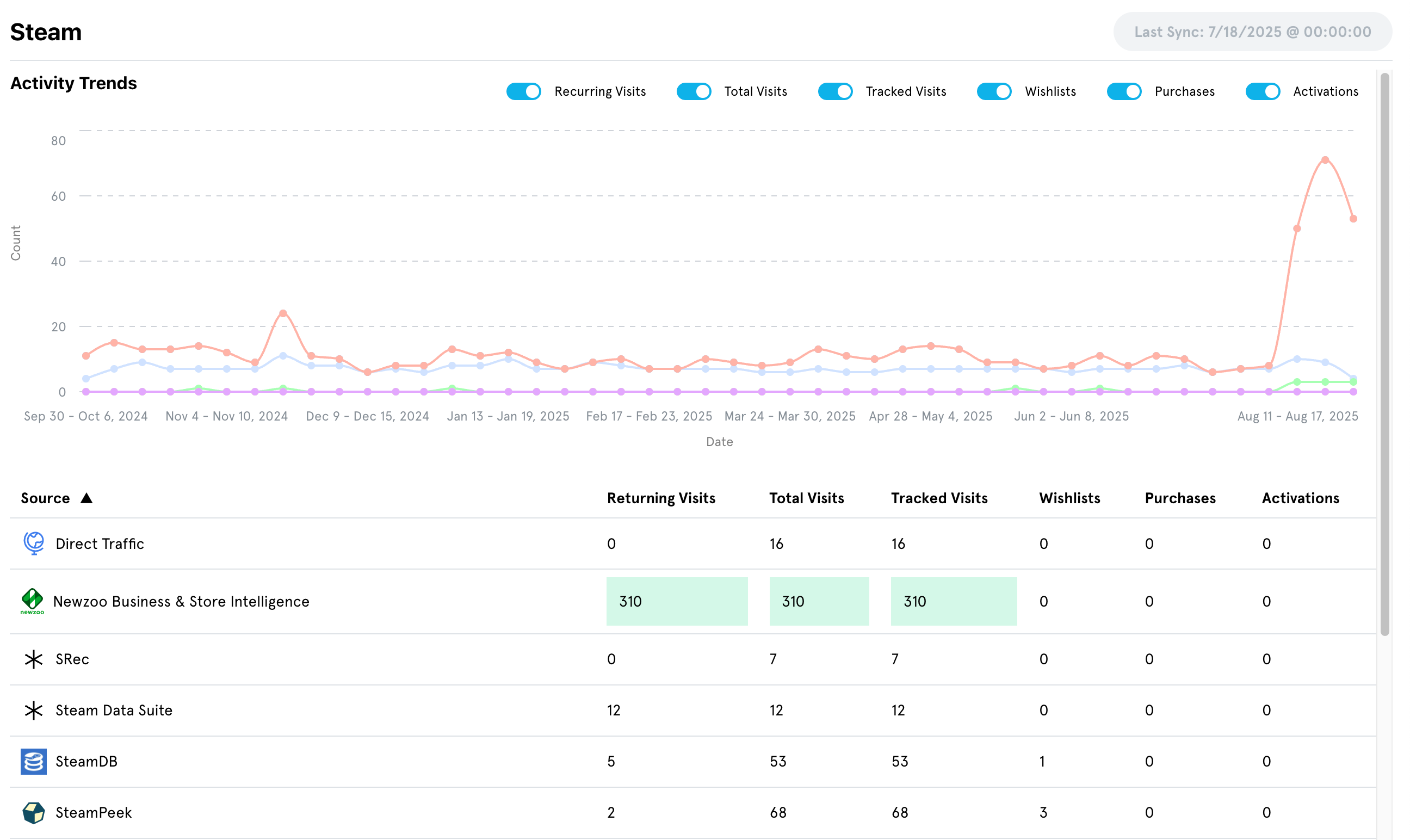
Now you are all set to start taking a metrics driven approach to PC game marketing and publishing. By checking on your GameLink landing page conversion and focusing on channels that perform, you will see improvements in conversion to Wishlisting or Purchase in now time.
Now the real fun begins!
Subscribe now and we will keep you updated on the latest developments in how to improve your UA for PC games. In the next set of posts, we’ll dive into how to configure your first ads and measure conversion, as well as advanced GameLink features such as hosting GameLink on your own domain, and enabling your players to ‘Register’ their game.
.